
What's the Best Smart Home Control Screen in 2026? Nest Hub vs Echo Show vs DIY Tablet — A Comprehensive Comparison
Looking for the best smart home control screen? We compare Amazon Echo Show 15, Google Nest Hub Max, iPad setups, and budget Android tablets to find the perfect option for your needs and budget.
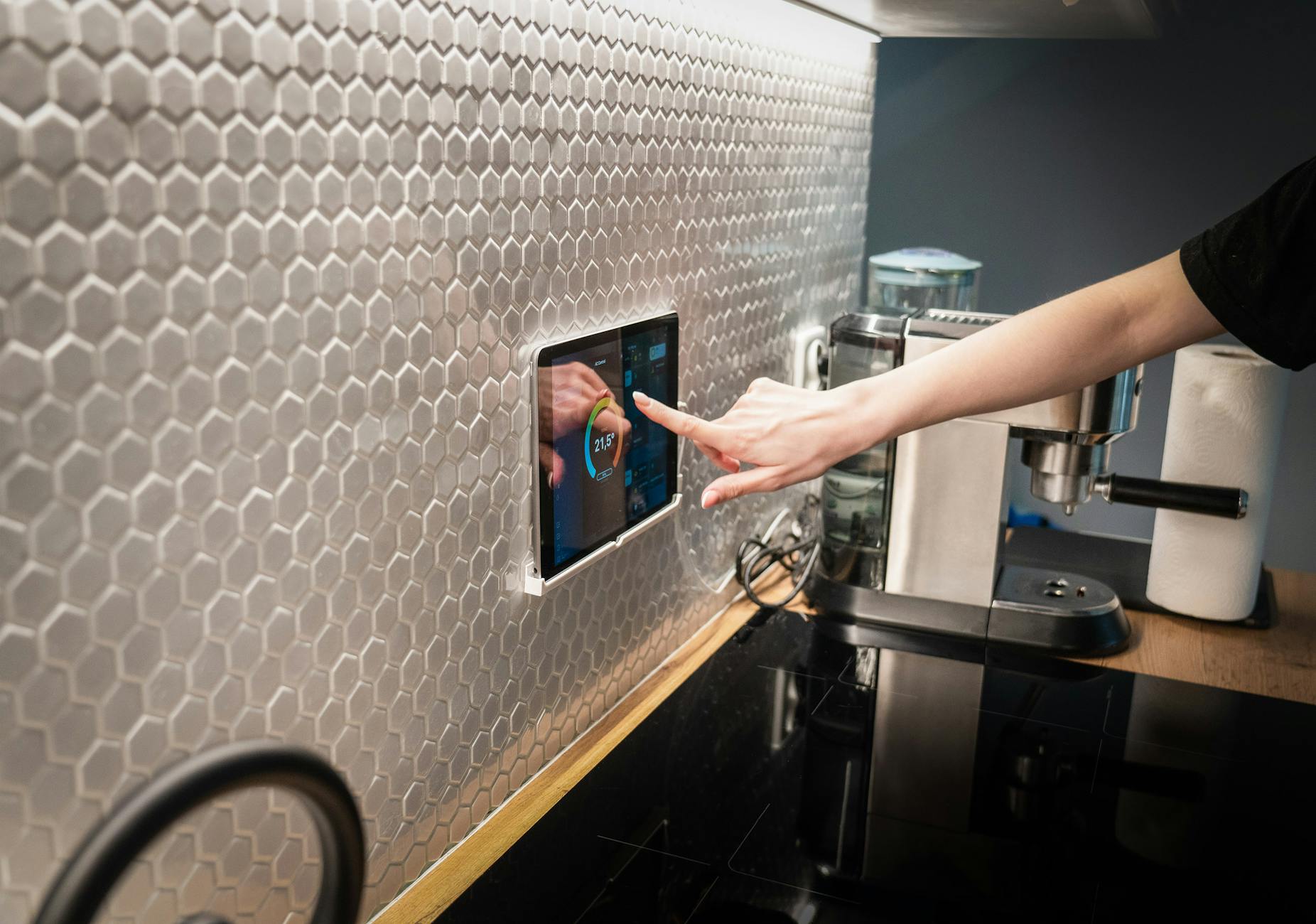
The question pops up on Reddit at least once a week: "What's the best tablet or display for controlling my smart home?" It seems straightforward until you start digging. The answer depends on whether you want voice control, touch interfaces, wall mounting, Home Assistant integration, or something that just works without requiring a computer science degree.
I spent the last few weeks testing the major options—smart displays from Amazon and Google, iPad setups, and budget Android tablets—talking to installers, and analyzing what actually works in real homes. The results surprised me. The "best" option varies wildly depending on your ecosystem, technical comfort level, and whether you're willing to tinker.
The Smart Display Landscape in 2026
Smart displays have evolved significantly from the glorified alarm clocks they were five years ago. Today's devices can control thousands of smart home devices, stream content, handle video calls, and serve as digital photo frames when idle. But they're not all created equal.
The market breaks down into three main categories:
- Consumer smart displays (Amazon Echo Show lineup, Google Nest Hub series)
- General-purpose tablets configured for smart home control (iPad, Samsung Galaxy Tab, Amazon Fire tablets)
- Dedicated control panels (expensive in-wall options, Raspberry Pi DIY builds)
For most homeowners, the decision comes down to the first two categories. Dedicated control panels from companies like Control4 or Savant start at $1,000+ installed and cater to high-end integrated systems. That's overkill if you just want to adjust your thermostat and turn off the lights.
Amazon Echo Show 15: The Kitchen Counter King
The Echo Show 15 ($219.99-$299.99) represents Amazon's flagship smart display, and it's the one I recommend most often for families. The 15.6-inch 1080p display is genuinely useful—large enough to display family calendars, weather widgets, and smart home controls without squinting.
What sets the Echo Show 15 apart is its versatility. It mounts horizontally or vertically, includes Fire TV built-in for streaming, and functions as a digital photo frame using Amazon Photos. The visual ID feature recognizes different household members and shows personalized content—your calendar, your commute, your reminders.
For smart home control, the Echo Show 15 handles Alexa-compatible devices seamlessly. Lights, thermostats, cameras, and locks all respond to voice commands and touch controls. The visual interface shows live camera feeds, which is genuinely useful when someone rings your Ring doorbell.
The downsides? You're locked into Amazon's ecosystem. Google Home devices won't appear in the control panel. Home Assistant users can integrate through voice but lose the visual dashboard capabilities. The display also requires a constant power connection—there's no battery option for portability.
At $220 during sales (regularly $300), the Echo Show 15 offers excellent value for Alexa households. Just don't buy it expecting to run Home Assistant dashboards or control Google/Nest devices natively.
Google Nest Hub Max: The YouTube and Casting Champion
Google's Nest Hub Max ($229.99) takes a different approach. The 10-inch display is smaller than the Echo Show 15, but the integration with Google services makes it unbeatable for YouTube enthusiasts and Google Photos users.
The killer feature here is the camera. Unlike Amazon's displays, the Nest Hub Max includes a camera that enables video calling through Google Meet and Duo, plus Nest Cam functionality when you're away. Face Match technology personalizes the display for different users, similar to Amazon's visual ID.
Smart home control works beautifully for Google Home-compatible devices. The dashboard interface feels more polished than Amazon's, with better visual organization of rooms and devices. You can view live feeds from Nest cameras, adjust Nest thermostats, and control Philips Hue lights without touching your phone.
However, the Nest Hub Max shares the Echo Show's ecosystem limitations. Alexa devices won't appear in the control panel, and while you can cast content from various apps, the device itself won't run Home Assistant dashboards or third-party control interfaces.
For households already invested in Google services—YouTube Premium subscribers, Google Photos users, Nest device owners—the Nest Hub Max justifies its $230 price. Everyone else should consider whether the smaller screen and Google lock-in work for their needs.
The DIY Tablet Route: Maximum Flexibility, Maximum Effort
Here's where things get interesting. Reddit's r/homeassistant and r/smarthome communities overwhelmingly recommend DIY tablet setups for serious smart home enthusiasts. The reasoning is simple: no consumer smart display offers the customization and cross-platform control that a dedicated tablet provides.
Option 1: Amazon Fire HD 10 ($60-$140)
The budget champion. Amazon's Fire HD 10 (10.1-inch, 1920×1200) frequently drops to $60-$75 during sales, with refurbished units available for even less. Install Fully Kiosk Browser ($8), sideload the Google Play Store, and you have a dedicated Home Assistant dashboard display for under $100.
The Fire HD 10 works best when mounted on a wall using a $15-25 tablet mount. Set up Fully Kiosk to load your Home Assistant dashboard on boot, keep the screen awake when motion is detected, and dim or turn off when idle. The result is a professional-looking control panel that costs a fraction of commercial options.
Downsides: Fire OS runs on Android 11 (aging), and the "special offers" (ads) require a $15 removal fee. Performance can lag with complex dashboards, and you'll need technical know-how to sideload apps and configure Fully Kiosk properly.
Option 2: Samsung Galaxy Tab A7 ($129-$189)
Step up to the Samsung Galaxy Tab A7 (10.4-inch, 2000×1200) for better performance and native Google Play access. The Snapdragon 662 processor handles complex dashboards smoothly, and the 13+ hour battery life matters if you want occasional portability.
The Tab A7's Dolby Atmos quad-speaker system sounds significantly better than the Fire HD 10, making it viable for casual media consumption when not serving as a control panel. Face recognition unlock is a nice touch for shared household use.
At roughly $130 on sale, the Tab A7 hits a sweet spot between price and performance. It's the tablet I recommend to friends who want Home Assistant dashboards without struggling through Fire OS limitations.
Option 3: iPad ($329+)
The premium option. Any iPad can serve as a wall-mounted control panel using the Home Assistant companion app or Safari in guided access mode. The 10th-gen iPad ($349) or iPad Air ($599) offer excellent displays, smooth performance, and Apple ecosystem integration.
The advantage here is longevity. iPads receive software updates for 5-6 years, while Android tablets often stop after 2-3. The display quality, touch responsiveness, and app ecosystem are unmatched. If you're already an Apple household, the integration with HomeKit is seamless.
However, the cost jumps significantly. You're looking at $350+ for the iPad, $30-80 for a quality wall mount, and potentially $20-50 for a hidden power solution. For a three-bedroom house with panels in the kitchen, living room, and master bedroom, you're spending over $1,200.
There's also the upcoming Apple Home Hub, rumored for spring 2026 at $350. Early reports suggest a 7-inch wall-mountable display running a dedicated smart home interface. If Apple's history holds, it'll integrate beautifully with HomeKit but lock out Alexa and Google Home devices.
The Hidden Costs Nobody Talks About
Here's what Reddit threads often miss: the total cost of ownership extends beyond the device itself.
Power solutions: Wall-mounted tablets need constant power. Hardwired USB outlets cost $20-40 each plus electrician fees if you're not comfortable with electrical work. PoE (Power over Ethernet) splitters provide cleaner installations but add $15-25 per tablet.
Mounts and cases: A quality wall mount runs $15-80 depending on aesthetics. Flush-mount options that look like built-in control panels cost $100-200. Don't cheap out here—a $10 mount from Amazon will sag, loosen, and eventually drop your tablet.
Software configuration: Fully Kiosk Browser for Android costs $8 per device. Home Assistant itself is free, but cloud backup and advanced features run $6.50/month. These small costs add up across multiple tablets.
My Recommendations by Use Case
After testing everything and analyzing hundreds of Reddit discussions, here's my practical advice:
For Alexa households wanting simplicity: Buy the Echo Show 15 during a sale ($220). Mount it in the kitchen or living room. It won't run Home Assistant dashboards, but it controls Alexa devices beautifully and doubles as a family calendar and entertainment screen.
For Google/HomeKit households wanting simplicity: The Nest Hub Max ($230) offers the best experience. The camera adds security value, and YouTube integration is genuinely useful for cooking videos and background content.
For Home Assistant users on a budget: Buy two or three refurbished Fire HD 10 tablets ($60 each), install Fully Kiosk, and mount them in high-traffic areas. Total investment: ~$250 for three rooms including mounts. The customization possibilities are endless—you can build dashboards showing weather, energy usage, camera feeds, and device controls exactly how you want.
For the "set it and forget it" crowd: Samsung Galaxy Tab A7 units at $130 each. You avoid Fire OS headaches while keeping costs reasonable. These will last 3-4 years before needing replacement.
For Apple loyalists: Wait for the Apple Home Hub (spring 2026, estimated $350) or buy a base iPad now if you can't wait. The Home Hub will likely offer the cleanest integration, but early adopters always pay the price in bugs and limitations.
The Reality Check
Here's the uncomfortable truth most Reddit threads gloss over: you probably don't need a wall-mounted control panel.
Voice control through Echo Dots or Nest Minis handles 80% of smart home interactions. Your phone handles the other 19%. That leaves 1% of scenarios where a dedicated display actually matters—viewing camera feeds, adjusting complex lighting scenes, or checking who's at the door.
Before spending hundreds on tablets and mounts, ask yourself: how often am I currently frustrated by using my phone or voice commands? If the answer is "rarely," spend that money on better smart switches or additional sensors instead.
For those who do want the visual dashboard experience, start small. Buy one Fire HD 10, mount it in your most-used room, and live with it for a month. Expand if you actually use it. Most people who install three panels find that only one gets regular use.
The smart home industry keeps pushing displays because they're profitable, not because every home needs them. The best control interface is the one you'll actually use—and for many households, that's still a voice command from across the room.
Sources
- PCMag - The Best Smart Displays We've Tested for 2026 (March 5, 2026)
- CNET - Best Smart Displays of 2026: Home Control at a Touch (November 18, 2025)
- Spice Home Tech - 6 Best Tablets For Home Assistant Wall Tablets And Control Panels (September 3, 2025)
- Amazon.com - Echo Show 15 Product Specifications
- Google Store - Nest Hub Max Product Specifications
- Reddit r/smarthome - Multiple user discussions on tablet recommendations (2025-2026)
- Reddit r/homeassistant - Wall-mounted tablet setup guides (2025-2026)
- MacRumors - Apple's 2026 Home Hub Pricing and Features Report (October 14, 2025)